Descúbrelo!
-
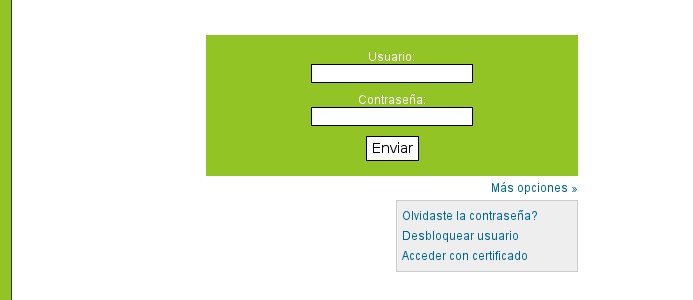
1. Acceso con certificados
Los usuarios de la Plataforma ecoPFN podrán acceder de la manera que el administrador desee.
La opción por defecto es permitir acceder con usuario y contraseña, pero podrá ser configurado además para permitir el acceso mediante certificados de empresa, DNIe, certificados de FMNT, etc..., todo esto totalmente configurable independientemente para cada usuario.
Usted podrá permitir acceder de una u otra manera o posibilitar el uso de ambas.
-
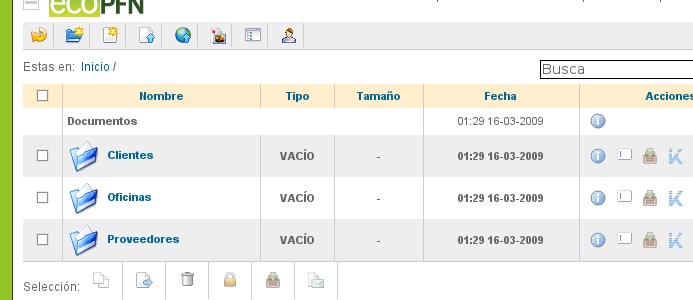
2. Información ordenada
Podrás clasificar la información de manera perfectamente clara y ordenada.
De un simple vistazo encontrarás los documentos que necesitas y el tiempo que necesitarás para formar a tus clientes para el uso de la Plataforma ecoPFN será realmente bajo.
Además cuenta con un buscador que te permitirá localizar cualquier documento por muy escondido que se encuentre.
-
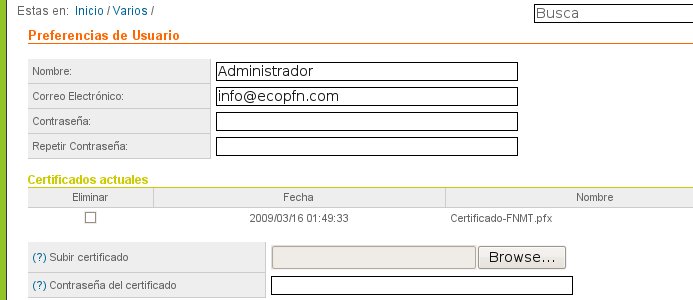
3. Gestión del perfil
Los usuario podrán gestionar y modificar su perfil, pudiendo editar su nombre, dirección de correo electrónico y contraseña de acceso.
Además podrán gestionar de manera completa sus certificados, añadiendo o eliminándolos según sus necesidades. La Plataforma ecoPFN no almacena las contraseñas de los certificados de usuario, y siendo una aplicación de código abierto, es algo que podrá verificar usted mismo.
-
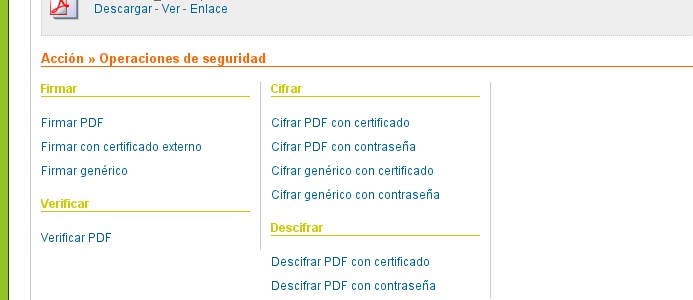
4. Operaciones de seguridad
Con la Plataforma ecoPFN usted podrá realizar acciones como firmar digitalmente, cifrar, descifrar o verificar documentos de una manera muy sencilla y rápida.
No necesitará instalar ninguna herramienta en su ordenador y para poder realizar todas estas acciones únicamente necesita conexión a internet y un navegador web.
-
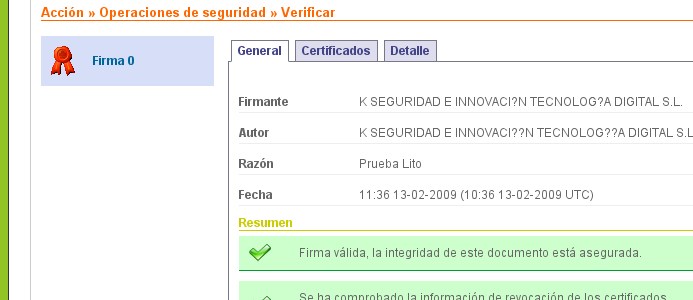
5. Validación de documentos
Una de las acciones más interesantes que podrá realizar, y como complemento a la firma digital, es la de validación de documentos firmados digitalmente.
Usted podrá comprobar la validez de la firma digital, la revocación del certificado con el que fue firmado, si dispone de sello de tiempo de un servidor TSA y mucha más información que le ayudará a reconocer el nivel de seguridad e integridad de sus documentos.
-
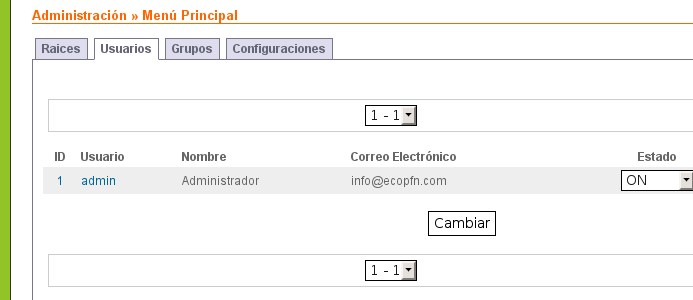
6. Área de Administración
Desde el Área de Administración podrá controlar todo lo que sucede en la Plataforma ecoPFN de una manera sencilla y eficaz.
Desde un panel central usted podrá crear diferentes áreas de acceso, usuarios, grupos y configuraciónes, todo ello relacionado entre sí para ofrecer mil y una opciones de configuración.
Además cuenta con un completo gestor de informes y registros, en donde podrá ver todas las acciones que realizan los usuarios, así como los accesos detallados de estos a la plataforma.

